DNS
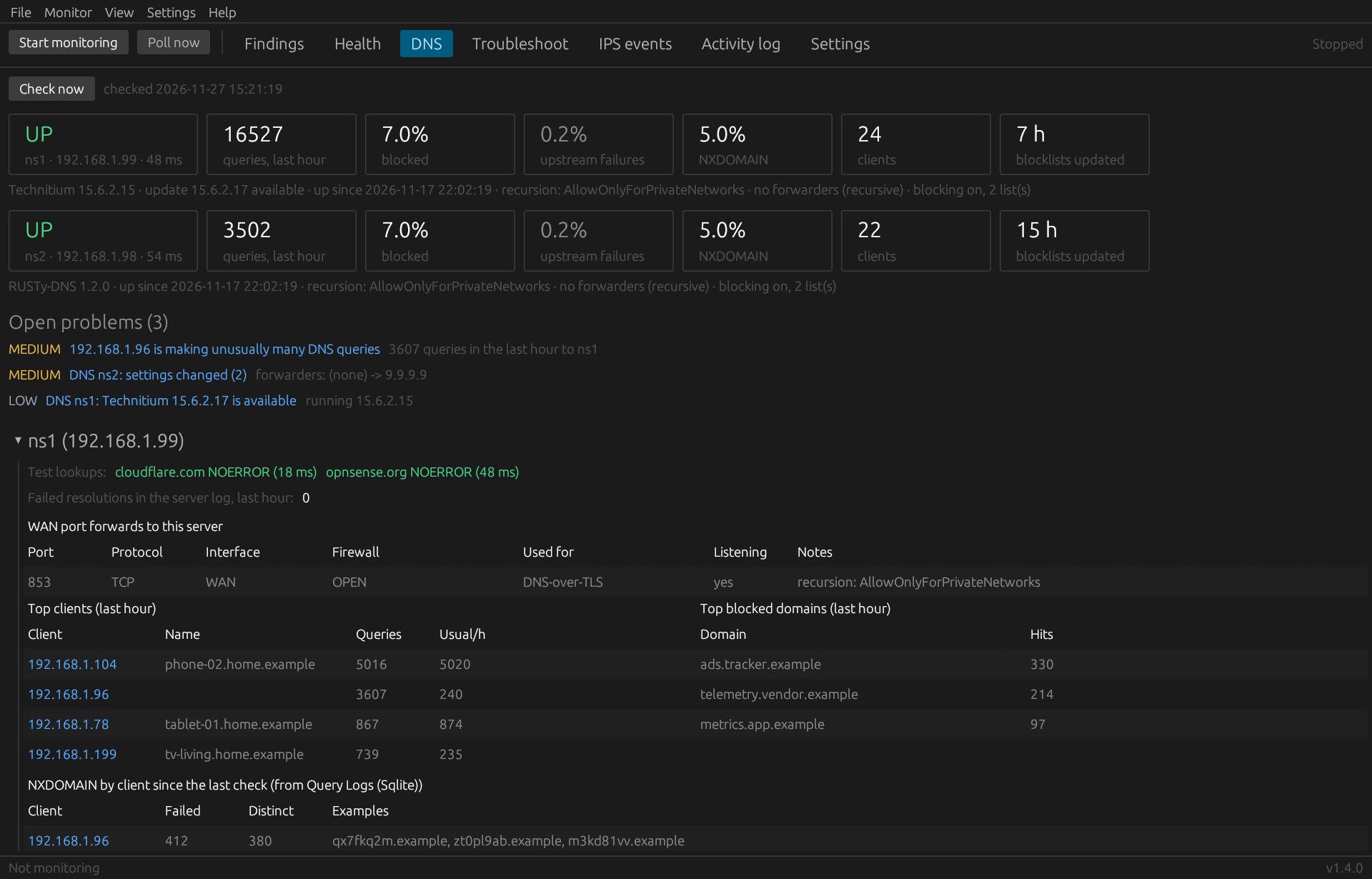
The DNS page watches the resolvers your network uses, every 5 minutes by default (Settings → DNS servers). Each server is one of two types:
- Technitium: read through its own HTTP API with a token (Administration → Sessions → Create Token; a read-only user is enough). Servers that speak the same API, such as RUSTy-DNS, work too and are shown under their own name.
- Unbound (OPNsense): the firewall’s built-in resolver, read through the firewall API with the same key and secret as everything else. No token. Test queries go to the firewall’s address unless you enter another one.
What’s shown per server
- A row of tiles: UP / DOWN with the response time, queries in the last hour, blocked share, upstream failures (SERVFAIL), NXDOMAIN share, number of clients and blocklist age.
- A summary line: version and available update, uptime, recursion setting, forwarders and blocking.
- Open problems for that server.
- Test lookups: the names asked on every check, with the answer and time.
- WAN port forwards to this server, and whether recursion is open to the internet.
- Top clients (with their usual hourly rate) and top blocked domains.
Checks
| Check | Technitium | Unbound |
|---|---|---|
| Test lookups on port 53, server down / failover, all down | yes | yes |
| SERVFAIL share (upstream failures) | last hour, from the dashboard | last hour, from the query log; without statistics, from counters between checks (needs Extended statistics) |
| Traffic, blocked share, top domains / blocked domains | last hour | last hour (top domains: since statistics started) |
| Unusual clients (query spikes against a learned baseline) | yes | yes (top 10 clients per minute, so counts are lower bounds) |
| NXDOMAIN bursts per client (possible malware / DGA) | needs a query-log app | from the query log (newest 1000 queries) |
| Blocklists empty | yes | yes |
| Blocklist age, update available, zones, upstream-failure log | yes | not available in OPNsense, skipped |
| Settings changes | yes | yes, including overrides, forwarders, access lists and blocklist policies |
| WAN port forwards to the server, open resolver | yes | yes |
For Unbound, most checks need local statistics: in OPNsense open Reporting → Unbound DNS and enable them in its settings. While they’re off, the DNS page says so and a LOW finding stays open. IPS Watch only sends GET requests to the DNS servers.
Settings: Settings → DNS servers. CLI equivalent: ipswatch-cli dns.